Code-3 vLink Manual de usuario Pagina 21
- Pagina / 30
- Tabla de contenidos
- SOLUCIÓN DE PROBLEMAS
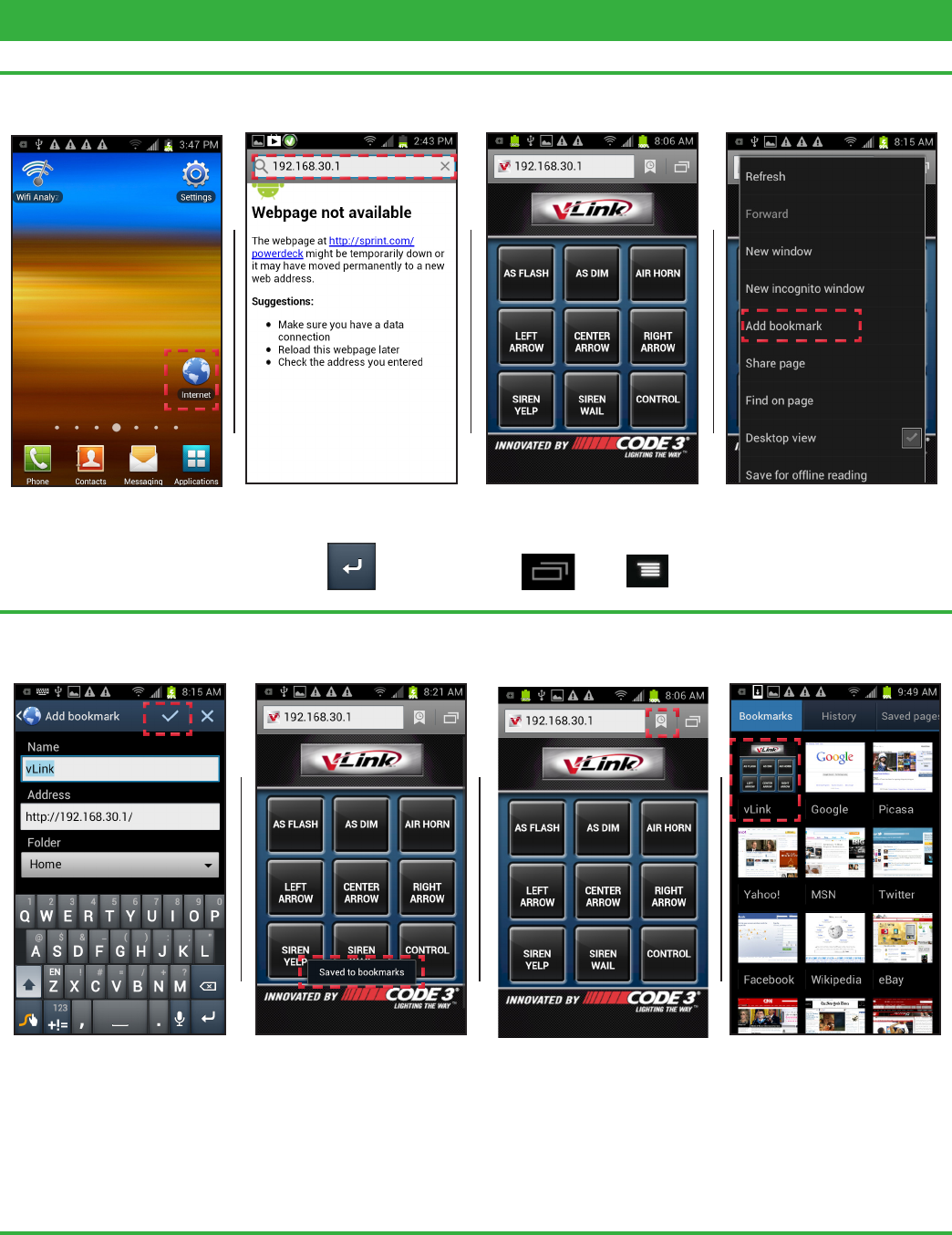
- MARCADORES

- INTRODUCTION 2
- Mounting Location 3
- Typical Wiring for vLink-Z3 7
- Z3 Default Menu Screen 8
- Z3 Control Button 8
- Z3 VERSION SCHEMATIC 9
- Installation & Mounting 10
- Connections 11
- Typical Wiring for vLink-RLS 11
- RLS Default Menu Screen 12
- RLS Control Button 12
- RLS VERSION SCHEMATIC 13
- Universal Default Menu Screen 16
- UNIVERSAL SCHEMATIC 17
- Connecting to vLink 18
- 9 10 11 12 19
- 13 14 15 21
- 17 18 19 22
- Technical Specications: 26
- Compliance and Approvals 27
- Troubleshooting Guide 28
- Example Installation Photos 29
- WARRANTY 30
- PRODUCT RETURNS 30
Relacionado con productos y manuales para Equipo Code-3 vLink
 (1 paginas)
(4 paginas)
(1 paginas)
(4 paginas)
© 2020, manymanuals.es. Todos los derechos reservados | 0.028 s |
 Manymanuals.com
 Manymanuals.de
 Manymanuals.fr
 Manymanuals.it
 Manymanuals.pl
 Manymanuals.cz
 Manymanuals.es
 Manymanuals-pt.com
Comentarios a estos manuales